Sales
Lead CRM & Follow-ups
Give every inquiry an owner, a history and a next step.
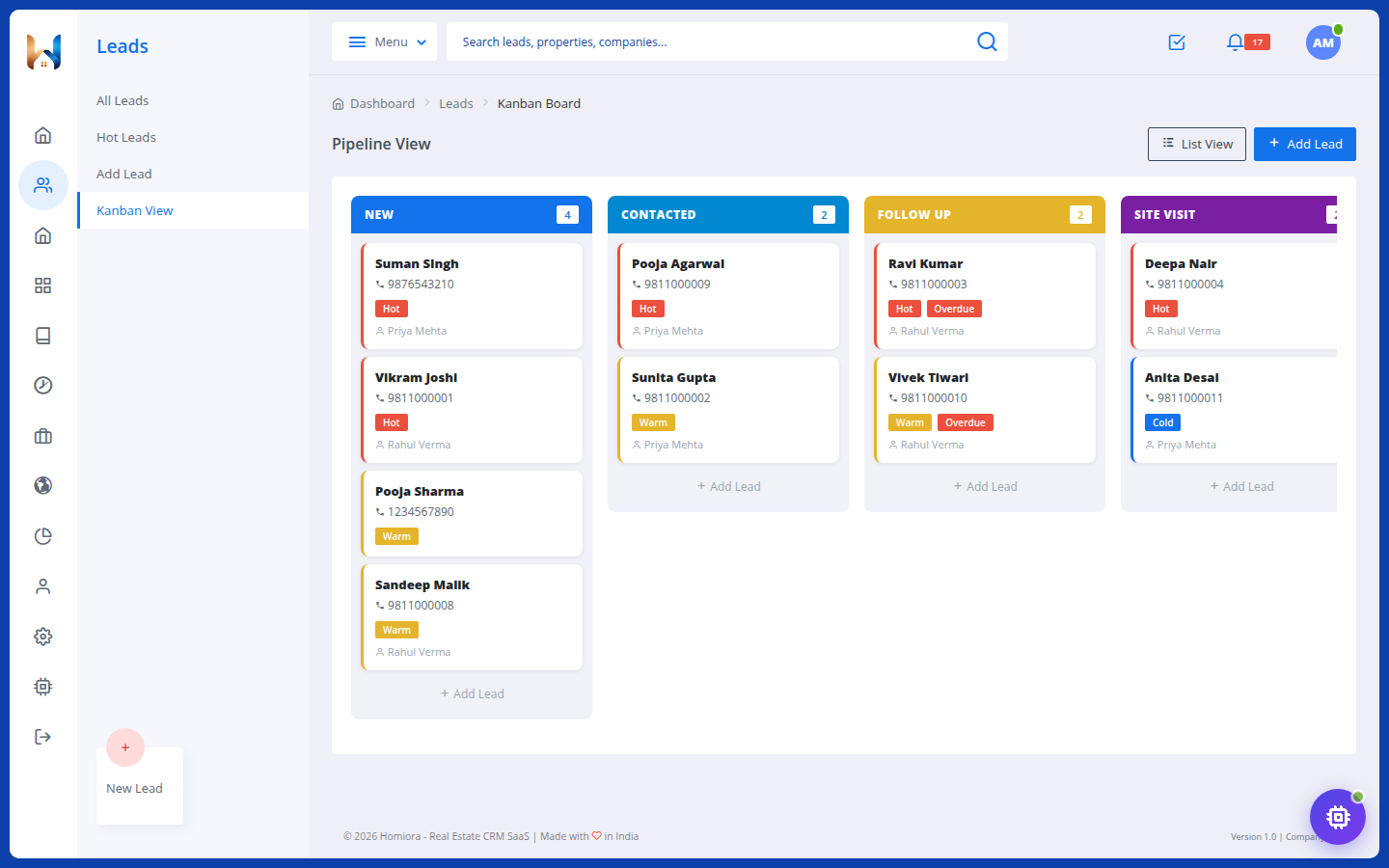
- Visual Kanban sales pipeline
- Lead assignment & priority tracking
- Call outcomes & activity timeline
- Follow-up dates & reminders

From the first inquiry to the final booking—manage leads, properties, inventory, finances and your team with Homiora.
₹5 non-refundable AutoPay setup fee. No plan charge for 14 days.
Meet Ora. Your built-in AI assistant.Find leads, plan follow-ups and prepare CRM actions—in English or Hindi.Explore Ora AI
A complete view of what your workspace can do. Choose the modules your business needs with the right plan.
Your sales essentials, connected from day one.
Give every inquiry an owner, a history and a next step.
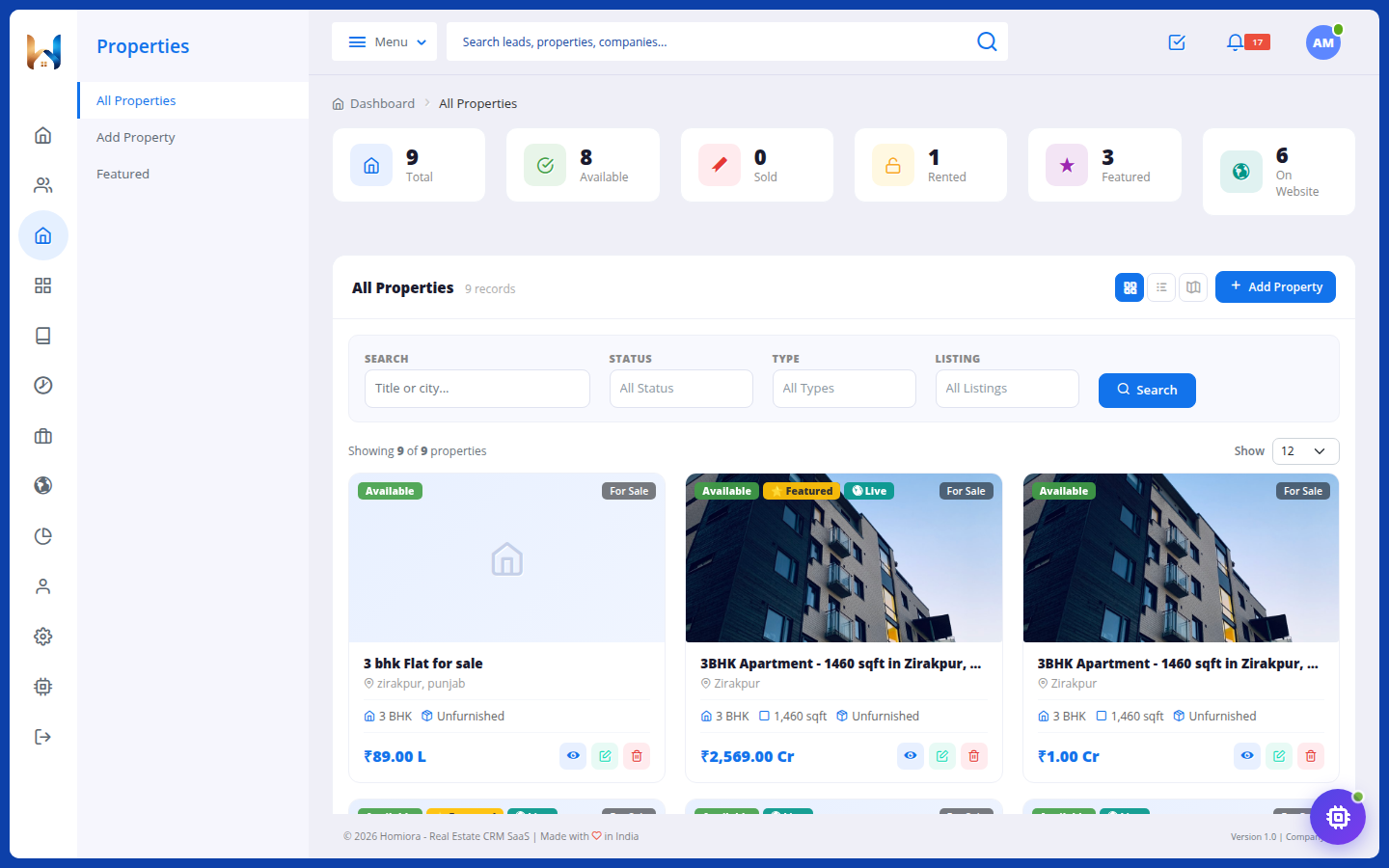
Keep every property organised and ready to present.
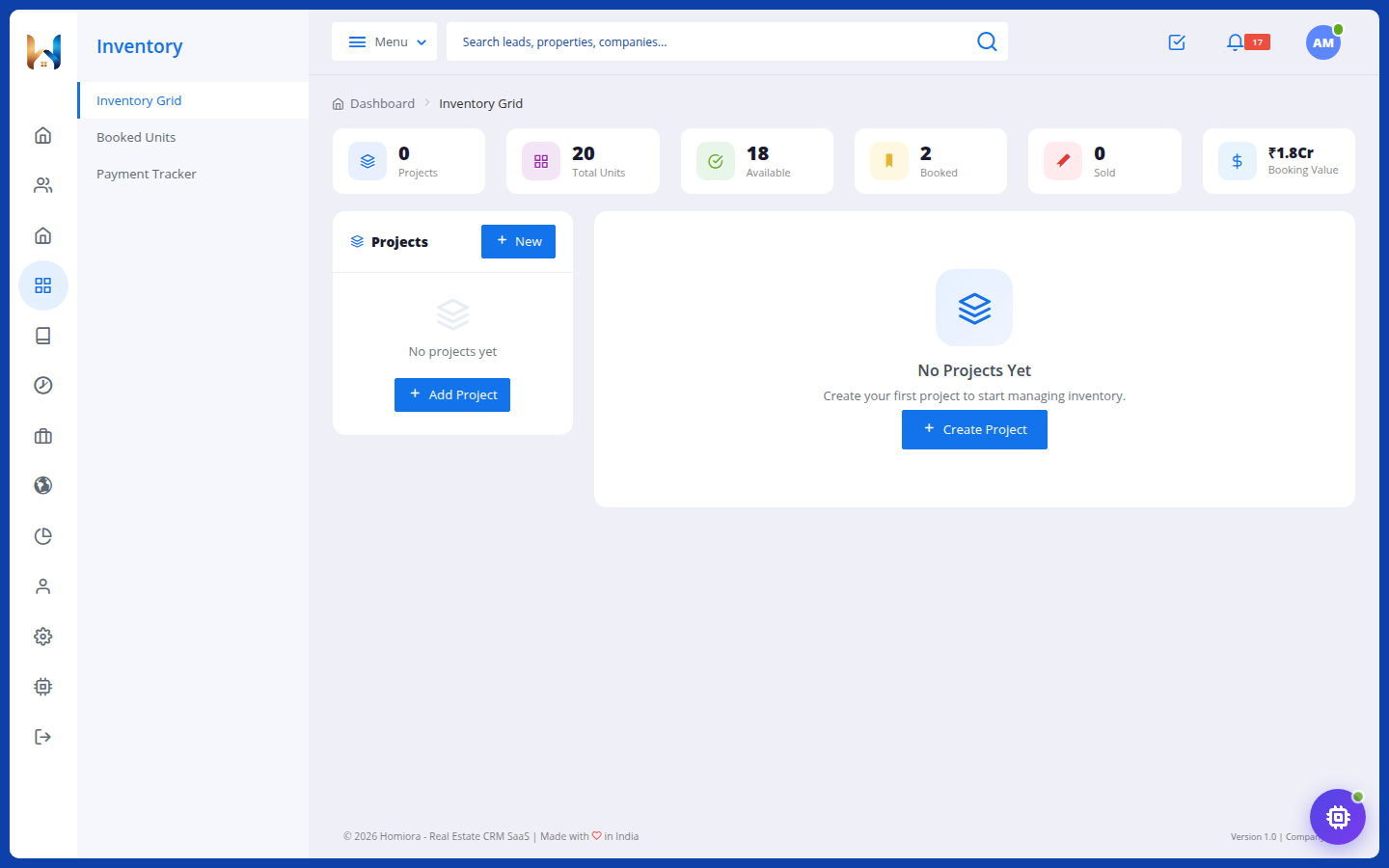
A clear picture of every project, unit and booking.
The people and numbers behind every successful deal.
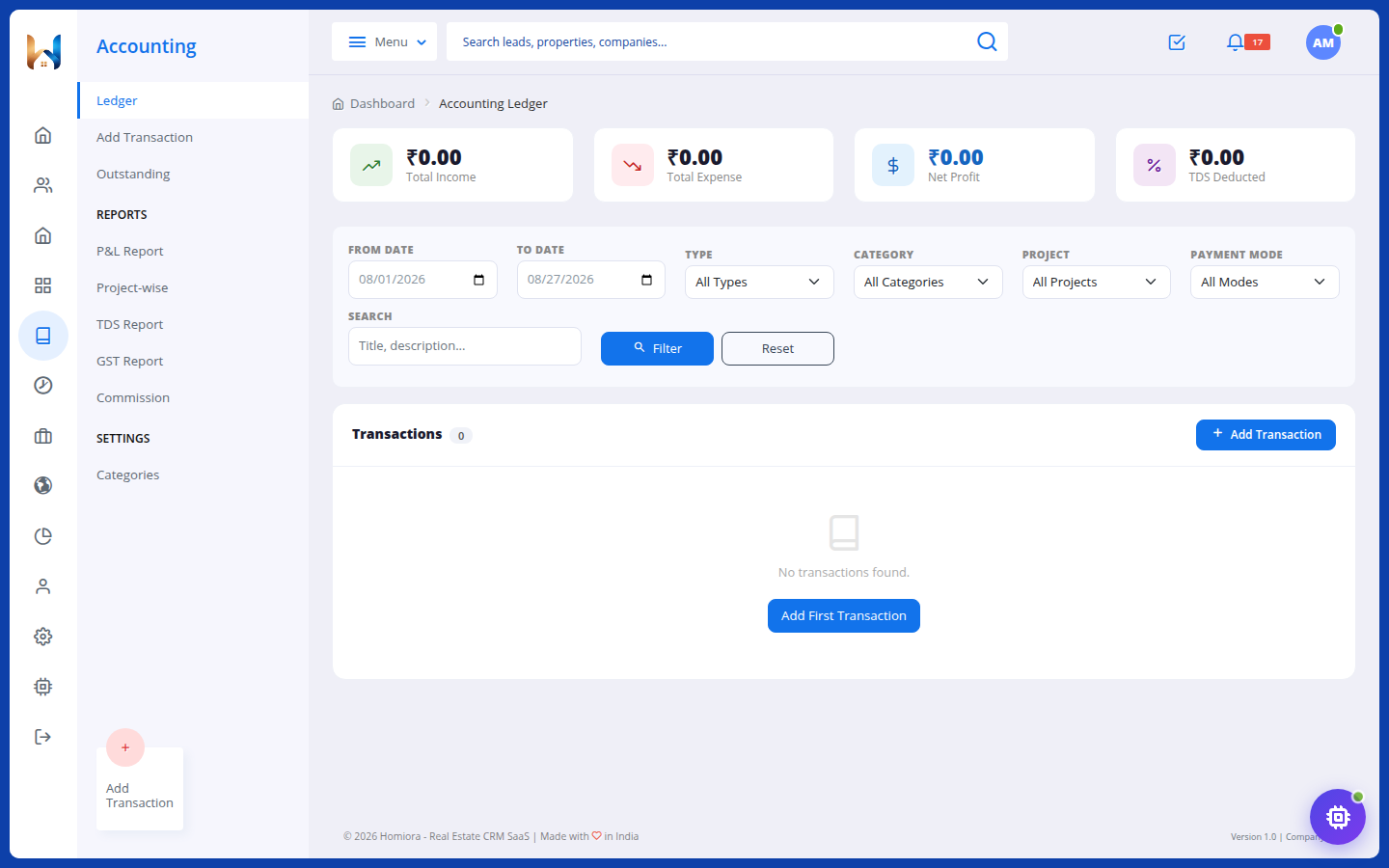
Follow the money without losing the context.
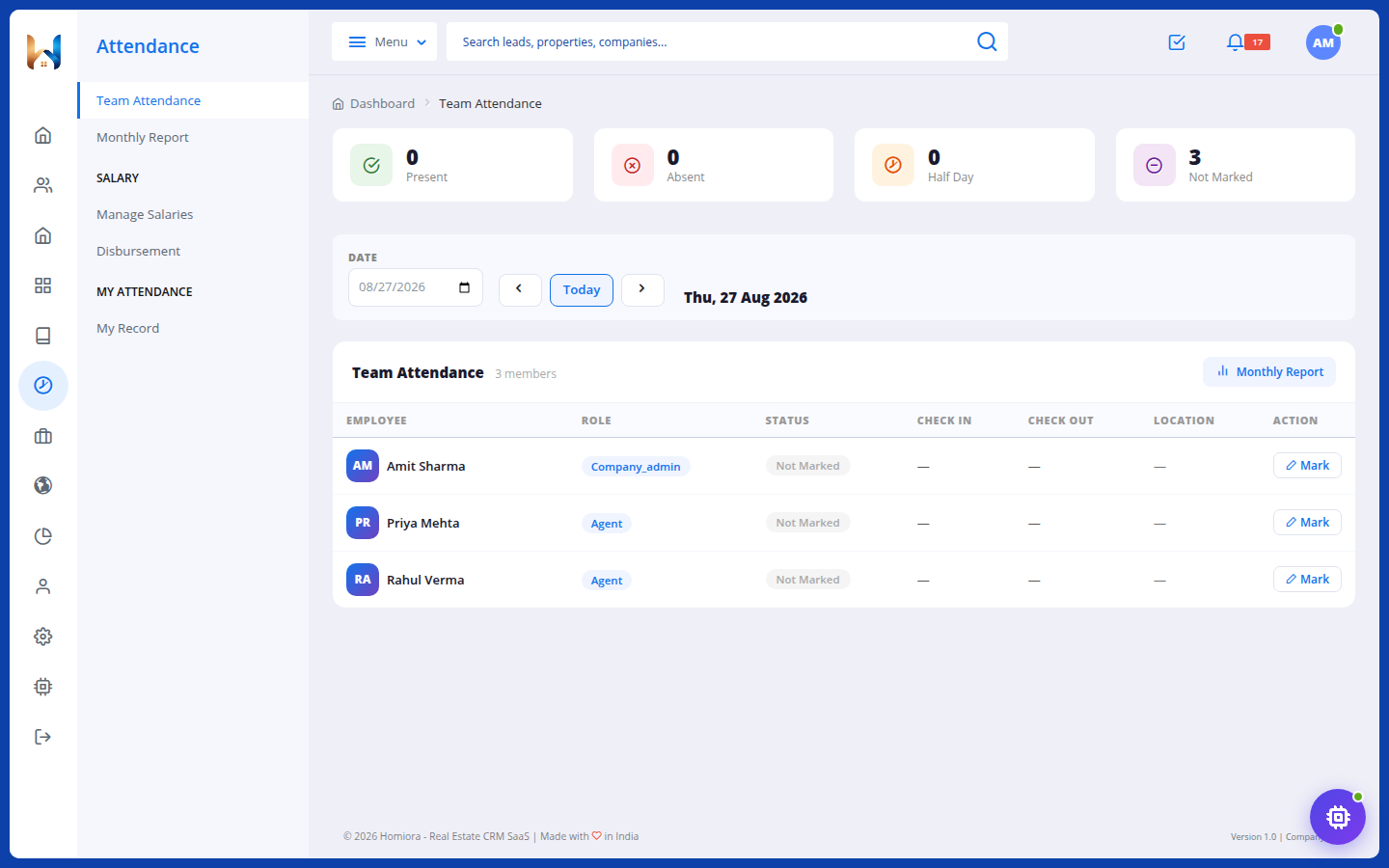
Keep daily attendance and salary records together.
Give your channel partners a clear place in the process.
Your online presence, business visibility and everyday assistant.
Turn your property portfolio into an online destination.
See the activity behind your business decisions.
Find answers and start CRM tasks through conversation.
Module availability depends on your plan. Compare all plans and included access
Give your team a shared path from new inquiry to booking and beyond.
Bring inquiries into your CRM. Assign ownership and keep the full conversation history.
Schedule the next call, track outcomes and keep every opportunity moving.
Manage unit availability, customer bookings and payment milestones.
Bring sales activity, team performance and financial visibility into focus.
Take a closer look at the workspace. Actual product screens, with demonstration data.
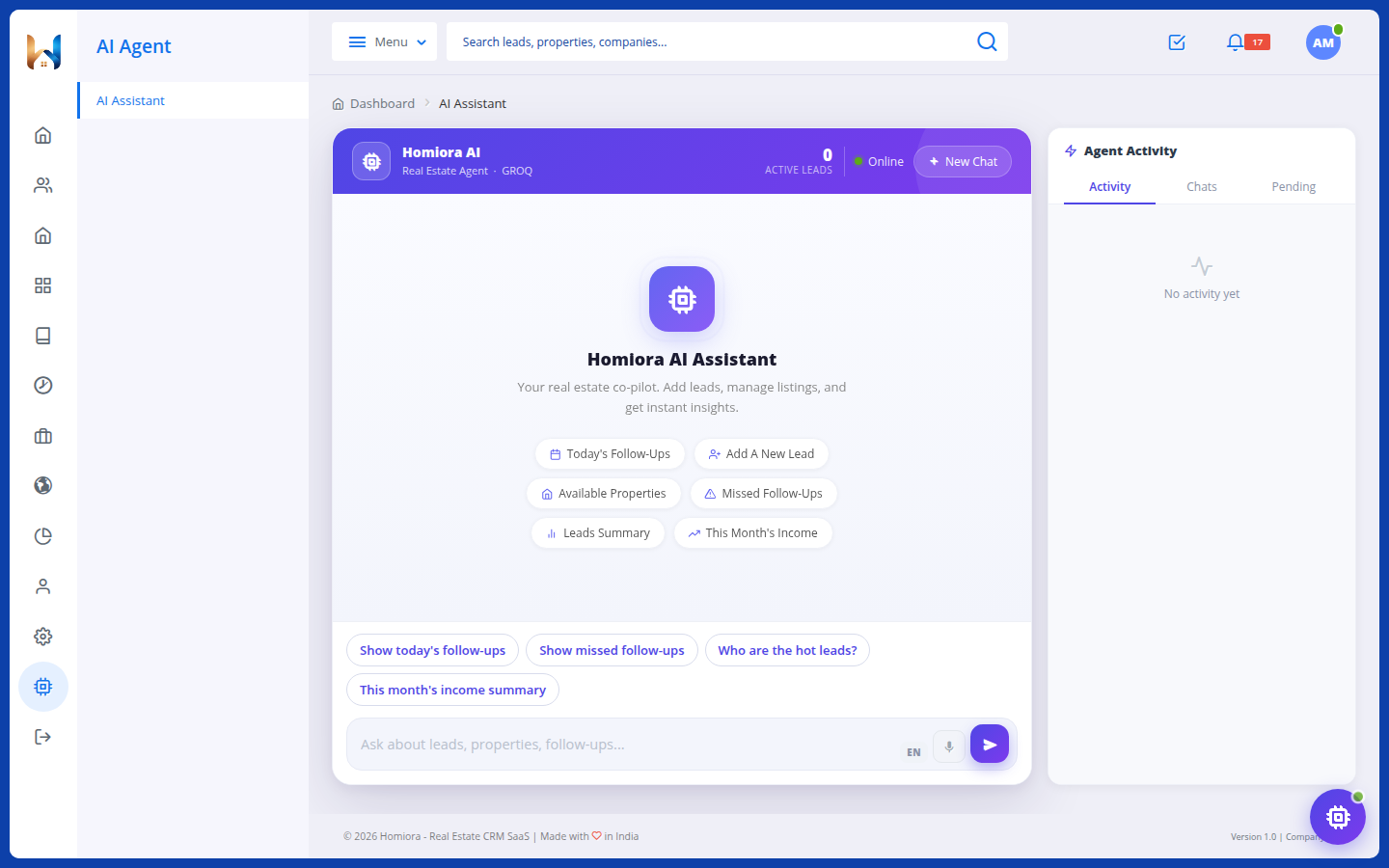
Your CRM assistant can find information, prepare records and help you take the next step—from a lead search to a property update. All inside your company workspace.
Aaj ke follow-ups dikhao.
Neha Kapoor · Tomorrow at 11:00 AM
You review the details before confirming.Six practical ways to work with your company data.
Search leads and open their details, recent activity and pipeline statistics. Create or update lead records through Ora’s action forms.
Neha naam ka lead dhundo.
See today’s follow-ups and overdue leads. Set a follow-up date and time, log a call outcome or note, and assign leads when your role allows it.
Aaj ke follow-ups dikhao.
Browse property records and statistics, open listing links, and create or edit property details. Ask for help drafting descriptions and SEO content.
Nayi property add karni hai.
Check unit availability, look up booking details, and create or update inventory projects and units using guided forms.
Available inventory dikhao.
Look up overdue and upcoming payment milestones for the next seven days, or request an accounting summary of income and expenses.
Upcoming payments dikhao.
View team members and their roles. Company admins can create a team-member record through Ora’s form without leaving the conversation.
Team members dikhao.
Chat in English, Hindi or Hinglish. Hindi and English voice input is available in supported browsers.
Open saved conversations and review earlier messages, results and actions from your chat history.
Review proposed changes and confirm the action or submit its form. Actions depend on your role and enabled modules.
Ora must be enabled for your company. Capabilities depend on your plan’s modules, your role and AI availability. Compare Ora access
Explore your selected plan for 14 days without a plan charge. A ₹5 non-refundable setup fee applies when enabling AutoPay.
Perfect for small real estate agencies
For growing real estate businesses
Unlimited power for large enterprises
Customized Plan for Large Companies
₹5 non-refundable setup fee is charged today while enabling AutoPay. No plan charge for 14 days. Cancel before the trial ends to avoid renewal.
See exactly what is included in each Homiora plan.
| Module & access | Starter | Pro | Elite | Enterprice |
|---|---|---|---|---|
| Lead CRM & Follow-ups | ||||
| Property Management | ||||
| Reports | Basic | Standard | Advanced | Advanced |
| Inventory & Bookings | ||||
| Broker & Commission | ||||
| Website Builder | ||||
| Ora AI Assistant | 100 queries | 500 queries | 2,000 queries | |
| Accounting & Ledger | ||||
| Attendance & Payroll | ||||
| Assisted Onboarding |
Independent brokers, real estate agencies and builders who want to manage leads, listings and company operations in one workspace.
Choose a plan and register your company. A ₹5 non-refundable setup fee applies when enabling AutoPay. There is no plan charge for 14 days; your selected plan is charged after the trial unless you cancel beforehand.
Yes. Your company gets the module access included in your selected plan. Use the comparison above to choose the tools your team needs.
Yes. You can add team members within your plan’s user limit and manage their roles and permissions.
Ora access depends on your plan. Check the Ora AI Assistant row in the module comparison before choosing.
14-day trial · ₹5 AutoPay setup fee · GST extra on plan charges